
Bible KJV offline with voice
Bible VersesLibraries & Demo
4.613.00 Reviews
- Version
- Bible kjv voice Free Offline 24.0
- Installs
- 100.00K
- Age Rating
- Everyone
Screenshots







Our Review of Bible KJV offline with voice
 Analysis by Appyee
I often reach for a Bible app in very ordinary moments: before leaving home, during a quiet break, or when I want to listen instead of stare at a screen. Bible KJV offline with voice is designed for exactly that kind of use. It is a free Bible app from Bible Verses, focused on the King James Version, with reading, study, listening, and offline access brought together in one place.
My first impression is that it is more practical than decorative. It does not try to turn Bible reading into a social network or a heavily personalized productivity system. Instead, it keeps attention on the text and on the possibility of hearing it aloud. That narrow purpose is also its main strength: if you want the KJV available when you are away from a reliable connection, this app makes a sensible case for itself.
From a spare moment to a complete reading routine
The starting condition for many users is simple. You may want to read a passage on a commute, listen while preparing breakfast, or keep a familiar translation available while traveling. The offline focus matters here because it changes the workflow. Rather than beginning by checking whether the current network is strong enough, you can open the app and move directly toward the passage you want.
The app belongs to the Libraries & Demo category, which is a fair description of its role. I would treat it as a portable reference library rather than as a full study suite. The King James Version is the center of the experience, so it suits readers who already prefer its traditional language or who specifically need to consult that translation.
Installation is free, and the app is suitable for Everyone. It runs on Android starting with version 7.0, making it accessible on many older phones as well as newer devices. The current release is Bible kjv voice Free Offline 24.0. Optional in-app purchases are listed at $0.99 per item, so the basic decision is straightforward: you can begin without paying, while some extras may involve a small purchase.
The app has reached over one hundred thousand installs and holds a 4.6 average from around one thousand four hundred ratings. Those figures suggest that it has found a real audience, but I would not use popularity alone as the reason to install it. The more important question is whether the KJV, offline access, and spoken playback match the way you actually use a Bible.
First setup: choose the situation before choosing the passage
I find it helpful to decide what I am trying to do before opening the book. If I am studying a familiar chapter, reading is usually the quickest route. If my hands are occupied, listening is more useful. If I am preparing for a discussion, I may read slowly and keep the app open as a reference. Thinking this way prevents the voice function from becoming a novelty and turns it into part of a repeatable routine.
A practical example is an evening walk. Before going outside, I would open the app while connected to the internet, locate the passage I want, and make sure the relevant content is available for offline use. Once outside, the phone can become an audio companion rather than something I need to keep looking at. The handoff from screen reading to listening is the most meaningful workflow in this app.
That same approach works for a short household task. I might choose a chapter before washing dishes, start the spoken reading, and let the phone stay on the counter. In this situation, the app is valuable because it removes the need to hold a book or repeatedly unlock a screen. It is not replacing careful study, but it does make regular exposure to the text easier to fit into a busy day.
Moving through the text without losing the purpose
When I use a Bible app, I do not want the navigation to become the main event. The useful flow is to select a book, move to a chapter, read the passage, and then decide whether to continue silently or listen. With this app, the KJV focus keeps that decision clear. There is less temptation to compare several translations when the goal is simply to stay with one established text.
That can be an advantage for devotional reading. A consistent translation helps preserve the rhythm and vocabulary you already know. It is also useful when you are following along with a printed KJV Bible, because the app can act as a portable companion rather than a separate interpretation of the passage.
At the same time, the traditional language is not ideal for everyone. Readers who are new to the KJV may find the wording slower to understand, especially when listening. The voice feature can make unfamiliar phrasing feel even more noticeable because you cannot pause to compare a modern rendering in the same moment. If your priority is plain contemporary English, I would choose an app built around a modern translation instead.
One useful habit is to listen first and read afterward. Listening gives me the broad shape of a chapter, while reading lets me revisit sentences that sounded dense or old-fashioned. This two-pass method is more effective than treating audio as a replacement for attention. It also helps when the app is being used during a walk or commute: the first pass keeps the routine moving, and the second pass can happen later when the screen is convenient.
The handoff between reading, listening, and real life
The strongest part of the experience is not any single button; it is the handoff between different kinds of attention. I can begin with a visual reading session, continue with spoken playback while my hands are busy, and return to the screen when I want to examine a verse. That flexibility makes the app more useful than a static text viewer.
Still, the handoff requires some personal planning. I would not start an unfamiliar chapter for the first time while driving, cooking over heat, or doing anything that demands full concentration. Audio Bible use is convenient, but convenience should not be confused with safe multitasking. The app can support a routine; it cannot decide when your attention is needed elsewhere.
Offline access is another important handoff. The best time to prepare is before leaving a connection. I would open the app at home, select the material I expect to use, and test the beginning of the playback before going out. This small check avoids a common frustration: assuming that “offline” means every part of the experience is immediately ready without any preparation.
That preparation is especially useful for travel. A hotel connection may be unreliable, a train journey may pass through weak-signal areas, and a rural walk may have no useful service at all. An offline Bible gives the routine a degree of independence from the network. For me, that is more important than having a long list of extra features that I may never touch.
How I would use it for study rather than casual listening
For basic study, I would treat the app as the text source and keep a separate notebook or document for observations. I can read a passage, listen to it once, and write down repeated ideas, unfamiliar expressions, or questions that need further research. This separation is deliberate. It keeps the Bible app focused while giving my notes a place of their own.
A second useful workflow is group preparation. If I am preparing for a small discussion, I might read the selected chapter silently, listen to it later, and then return to specific verses with my notes beside me. The audio pass can reveal emphasis and repetition that I skimmed over visually. The reading pass is better for checking exact wording. Neither mode replaces the other.
There is a trade-off here compared with larger Bible platforms. Many people prefer an all-in-one environment with extensive cross-references, commentaries, plans, highlighting, synchronization, and multiple translations. I would look elsewhere if those tools are central to my study method. This app makes more sense when I value a direct KJV reading and listening experience over a broad research workspace.
That distinction also answers an important question about who should install it. It is a good fit for a KJV reader who wants a lightweight offline companion, someone who learns well through hearing, or a person who wants a straightforward Bible available on an older Android phone. It is less suitable for a reader who needs scholarly notes, advanced search, collaborative study, or frequent translation comparison.
What the result feels like after a week of use
The result is a routine that is easier to carry from one setting to another. I can read at a desk, listen during a walk, and return to the same text later without depending on a browser tab. That continuity is the app’s most convincing benefit. It does not need to make Bible reading complicated to make it more available.
For someone who already knows the KJV, the experience can feel familiar quickly. The traditional wording is not hidden behind a complicated study system, and the voice option gives the text another entry point. I especially appreciate the possibility of using audio when visual reading is inconvenient, then switching back to the screen when I want to slow down.
The free price also lowers the barrier to trying it. I can install it, see whether the reading flow suits me, and decide later whether any optional item is worthwhile. The small listed purchase price per item is not a major obstacle, but I would still avoid assuming that every extra is necessary. The core value should be judged by the Bible text, offline workflow, and voice experience.
Its Everyone age rating makes it appropriate for households where different family members may use the same device. That does not mean every child will find the KJV easy to follow; the language can still require explanation. For family reading, I would use the app as the shared text or audio source and add conversation around it rather than expecting the app itself to teach every passage.
Where the workflow breaks down
The first point of friction is translation choice. The KJV is a strength only if it is the translation you want. If you are looking for modern wording, language study across several versions, or built-in explanatory material, the app’s focused design may feel restrictive. I would not install it hoping that a familiar modern Bible experience will appear around the KJV.
The second issue is the difference between availability and deep study. Offline reading and voice playback solve access problems, but they do not automatically provide context, interpretation, or a research trail. A reader who wants to trace themes across many passages may eventually need another reference tool. In my view, that is not a failure so much as a boundary: this app is strongest as a text-and-listening companion.
Audio also has natural limitations. Spoken scripture is convenient, but it is harder to scan, compare, or jump around than printed text. If I am trying to locate one exact phrase, silent reading is faster. If I am absorbing a whole chapter, audio is more comfortable. Choosing the wrong mode creates unnecessary friction, so I would use voice for continuity and reading for precision.
Offline preparation can become another weak point if I leave it until the last minute. A reliable habit is to prepare the passage while connected and then test it before the situation becomes inconvenient. That is a small extra step, but it is the difference between a genuinely offline routine and an expectation that the phone will always be ready without planning.
There is also a practical reason to compare it with alternatives. A browser-based Bible may be better when I need quick searching across many translations. A feature-rich study app may be better for notes, commentary, and synchronized plans. A dedicated audio Bible may be better if listening is my only priority. I would choose this app when I want the middle ground: KJV text, voice access, and offline convenience in one focused package.
My recommendation for the right kind of reader
I would recommend it to a friend who says, “I want the KJV with me, and I do not want my reading routine to depend on a connection.” The app’s strongest use case is a simple chain: prepare a passage, read or listen to it offline, return to the text when convenient, and keep personal notes elsewhere if deeper study is needed.
I would also recommend it to someone who has tried to build a listening habit but keeps postponing it because reading requires a quiet, stationary moment. The voice option changes the setting in which the Bible can fit into the day. Used responsibly, it can turn a walk, a quiet household task, or a travel period into time with the text.
I would skip it if I need a modern translation, extensive scholarly resources, or a single app that manages every part of a long-term study system. In those cases, a broader Bible platform will probably save time. I would also skip it if offline access is not important and I mainly want rapid online searching, since a browser or search-oriented alternative may be more direct.
My final view is positive but specific. Bible Verses has made a focused app for readers who value the King James Version and want both silent reading and spoken access without relying on a live connection. The experience works best when I prepare before going offline and choose reading or listening according to the task. Its real advantage is not excess functionality, but a dependable path from a spare moment to an accessible KJV reading routine.
For that audience, the free entry point and broad Android compatibility make it easy to try. I would keep expectations realistic about advanced study tools and translation flexibility, but I would not dismiss the simplicity. When the goal is to carry the KJV, hear it during everyday activities, and return to it without a network, Bible KJV offline with voice is a practical choice rather than a crowded feature showcase.
Verdict
Strengths of Bible KJV offline with voice
- Works without an internet connection after the Bible is downloaded.
- Includes clear KJV audio narration for listening on the go.
- Search tools make it easy to find verses, books, and keywords.
- Simple layout is suitable for reading during commutes or quiet study.
- Useful for users who prefer the traditional King James wording.
Limitations of Bible KJV offline with voice
- The KJV’s older language may be difficult for some modern readers.
- Audio files may require considerable storage space on your device.
- Voice quality and pronunciation can vary between books or recordings.
- Some features may depend on ads or optional in-app purchases.
- Limited translation choices may not suit users seeking modern Bible versions.
Other Releases by Bible Verses
View All
Study Bible with explanation
Libraries & Demo4.8
Similar Picks in This Category
View All
PGT: GFX, Launcher & Optimizer
Trilokia Inc.4.5

AusweisApp Bund
Governikus Service GmbH3.7

Cardboard
Google LLC3.2

Gamers GLTool with Game Tuner
Trilokia Inc.4.5

Multi Web Chat - Read Secretly
World Scan & Cleaner3.8

App Cloner Premium & Add-ons
App Listo1.9
Frequently Asked Questions
What is Bible KJV Offline with Voice?
Bible KJV Offline with Voice is a mobile Bible app centered on the King James Version. It allows you to read Scripture without an internet connection and, on supported devices, listen to passages using built-in voice narration or text-to-speech. During testing, the app was especially convenient for daily reading, travel, church study, and moments when mobile data or Wi-Fi was unavailable.
Can I use the app without an internet connection?
Yes, the main attraction of Bible KJV Offline with Voice is offline access. After installing the application and allowing any required content to download, you can open and read the KJV Bible without Wi-Fi or mobile data. Offline listening may depend on the voice files included by the app or your device’s text-to-speech engine, so it is worth checking the available audio settings before relying on it during travel.
Does Bible KJV Offline with Voice include audio narration for every book?
The app is designed to provide spoken Bible content, but the exact voice experience can vary according to the app version, device, language settings, and whether it uses downloaded audio or text-to-speech. Before downloading, users should review the store description and test playback on their phone. Voice speed, pronunciation, pauses, and naturalness may also differ between Android and iOS devices.
What reading and study features are available?
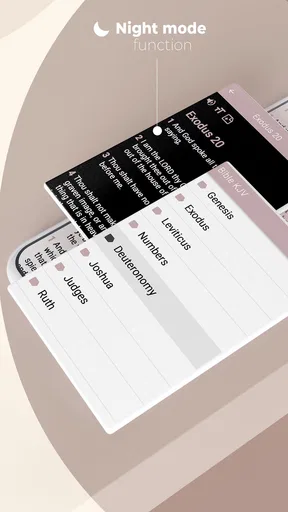
Along with browsing the books and chapters of the King James Bible, the app generally focuses on practical reading and listening tools. Depending on the version installed, you may find bookmarks, search, history, chapter navigation, adjustable text size, night or dark mode, and sharing options. The KJV’s traditional language can be rewarding for study, although new readers may need occasional help with older words and expressions.
Is Bible KJV Offline with Voice free to download and safe to use?
The application may be available as a free download, but some versions can include advertising, optional purchases, or limitations on particular features. Check the current Google Play or App Store listing for pricing and permissions before installing. It is also sensible to download only from the official store, review recent user feedback, and examine privacy details, especially if the app requests access beyond what is needed for reading and audio playback.
